EVA Release v2.4

EVA v2.4: Taking Detection Monitoring Efficiency to the Next Level
The EVA v2.4 release reflects the requirements raised in real operational environments, significantly improving monitoring efficiency and user experience. This update focuses on Alarm Priority Sorting, Device Favorites, Expanded Language Support, and Enlarged View of Detection Result Images, delivering convenience that can be felt immediately in monitoring operations.
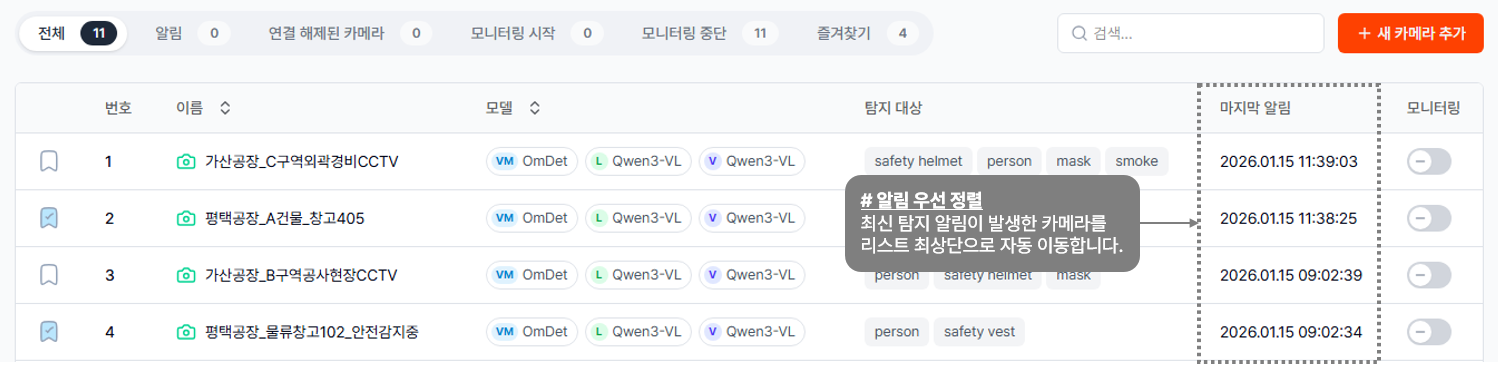
Alarm Priority Sorting – Never Miss Real-Time Responses Among Numerous Devices
In a monitoring environment with numerous connected devices, the most important thing is immediate identification and response to alarm-triggered points. When a detection alarm occurs, EVA automatically moves the corresponding device to the top of the list, allowing you to quickly and easily identify the alarm-triggered device even in a complex list. This feature is designed to display the latest events at the top in order, even when multiple alarms occur simultaneously, so you can see the most critical screen at a glance without scrolling or searching. As a result, monitoring efficiency and response speed are greatly improved, and when combined with the Favorites feature, you can prioritize monitoring of key devices where alarms occur.
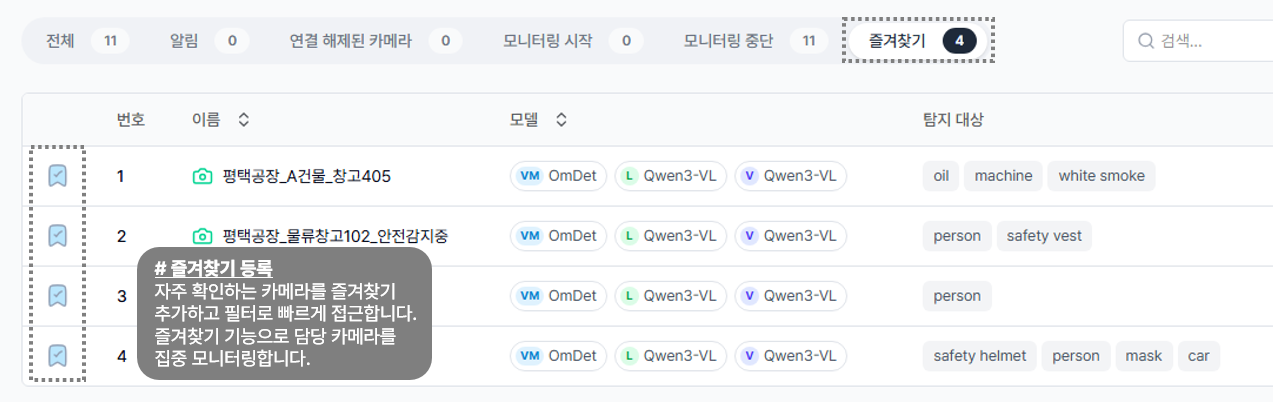
Device Favorites – Focused Monitoring of Key Points by Operator
The more cameras you monitor, the more important it is to quickly check critical points. With this update, EVA allows users to register key devices they manage as favorites and filter them for instant access. This feature is especially useful in environments where device responsibility varies by operator. Each operator can manage their critical devices as a favorites group to ensure no important point is missed and maintain focused monitoring. Grouping priority monitoring cameras such as entrances, high-value equipment storage areas, and safety management zones will further enhance monitoring efficiency.
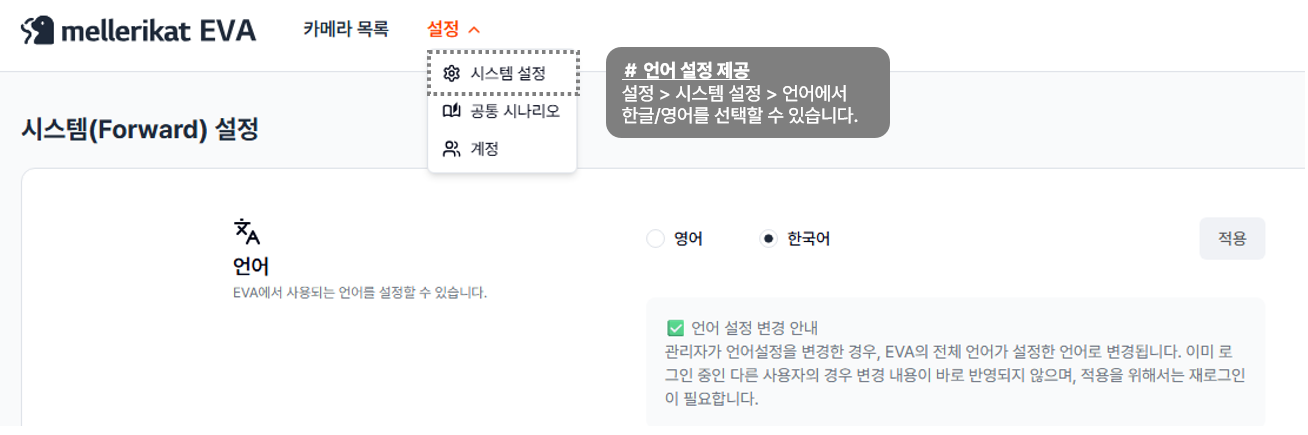
Expanded Language Support – EVA Accessible to Everyone
EVA now supports both Korean and English. You can select your preferred language in the settings menu, and language changes can only be made by accounts with administrator or manager privileges. This update makes EVA easy to use even for users unfamiliar with AI by providing all screens and functions in Korean and simplifying technical terms. In addition, detection analysis results can be provided in the desired language to minimize communication errors, enabling quick adaptation for new users and consistent information sharing across teams.
Enlarged View of Detection Result Images – Faster and More Accurate Situational Assessment
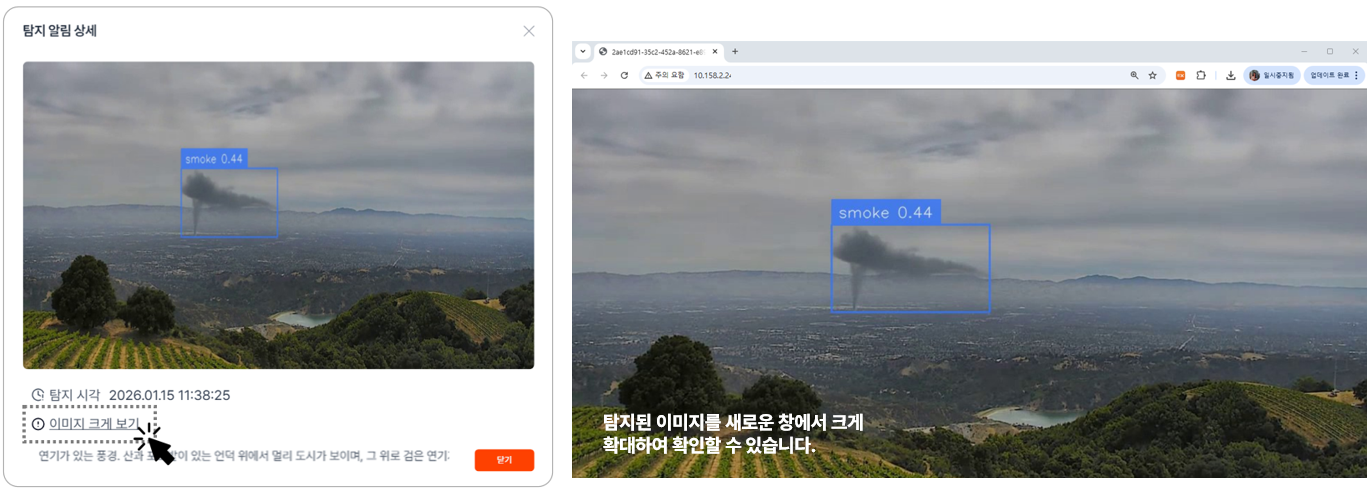
In real-world monitoring environments, the quality of response depends heavily on how quickly and accurately detection result images can be reviewed after an alert is triggered. With EVA v2.4, the image enlargement experience—previously available only through external notifications such as Microsoft Teams or Slack—has been extended directly into EVA’s built-in chat interface. Detection result images delivered via the chat window can now be opened in a separate, enlarged view, allowing users to inspect high‑resolution images and freely zoom in with a single click. This eliminates the need to rely on small, embedded thumbnails within the chat area and enables immediate, clearer analysis of detection results on a larger screen. As a result, operators can closely examine critical detection elements—such as people, vehicles, and object locations—making it easier to distinguish false positives and significantly reducing the time required to decide on follow-up actions.
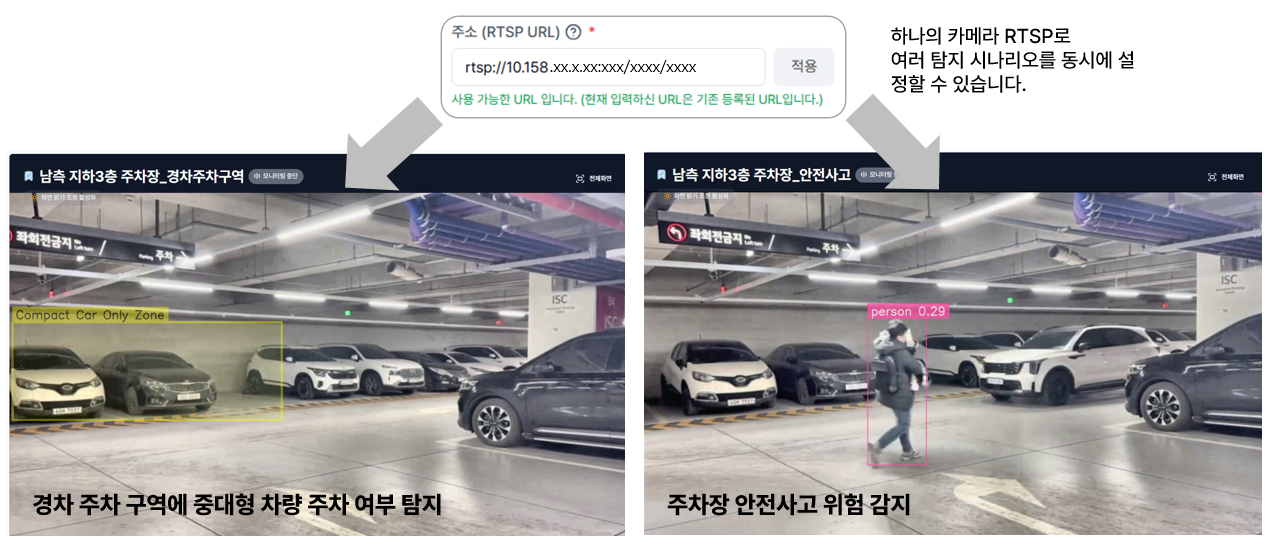
Support for Duplicate Camera RTSP Registration – Run Multiple Scenarios from a Single Camera
In many real-world environments, a single camera feed often needs to support multiple detection scenarios simultaneously. For example, a parking lot camera may need to detect illegal parking, pedestrian safety risks, vehicle wrong-way driving, loitering, or intrusion — each as separate monitoring scenarios. To improve this flexibility, EVA now supports duplicate RTSP registration. You can register the same RTSP address to multiple virtual cameras, and configure different detection scenarios independently for each one. With this enhancement, you can monitor various situations in parallel using a single live video stream, while greatly improving scenario configuration flexibility without adding hardware or modifying the network setup.
Other Key Improvements
This release also includes the following enhancements:
- Session logout time can be configured to match the installation environment.
- Improved repeated login requests when viewing detection images on mobile.
- Enhanced UI for device registration and expanded detection scenario area.
- Added device name editing feature.
- Detection alarm images can now be viewed in Slack.
EVA Listens to Your Feedback and Improves Faster
This release was implemented based on customer feedback. The EVA team is committed to quickly improving inconveniences through short release cycles and continuously enhancing accuracy and responsiveness based on data collected from PoC and commercial environments. UI/UX improvements prioritize on-site usability, and we will continue to deliver features that reflect customer needs quickly. Your feedback is the driving force that makes EVA a better product.
Experience the Updated EVA v2.4 Now
If you have any feature requests or improvement suggestions, please feel free to share them with us.