8 posts tagged with "EVA"

Mellerikat EVA 플랫폼의 기능, 개선, 성공 사례를 소개합니다.

View All Tags

Infrastructure Evolution on Naver Cloud and the Expansion of EVA Services

· 3 min read
Daniel Cho
Daniel Cho
Mellerikat Leader


🏛️ Infrastructure Evolution on Naver Cloud: Establishing a High-Efficiency, Cost-Optimized Service Framework

EVA has moved beyond the operational limitations experienced in traditional public cloud environments and designed an optimized server specification centered on NPUs. By transitioning from high-cost GPU-based infrastructure to high-efficiency NPU-based architecture, we have achieved a far more economical and stable service delivery model. With hardware and platform now organically integrated, EVA SaaS delivers a seamless, real-time multimodal AI experience to customers.


🌐 EVA Meets the Naver Ecosystem: Expanding the Horizon of “Intelligent Space Management”

Going beyond simple monitoring, mellerikat EVA understands and protects physical spaces. We have successfully established a SaaS (Software as a Service) environment built on Naver Cloud. This is more than a cloud migration—it marks the beginning of an innovative journey where Naver’s vast service ecosystem and EVA’s AI technologies converge to create new customer value.


🚒 [Public Safety] Integration with Naver Map: A New Perspective on National Disaster Management

By integrating EVA with Naver Map, we can more tightly connect safety monitoring across the entire country. We are planning real-time monitoring services for large-scale disasters such as wildfires, fires, and floods, targeting local governments and national fire agencies. Emergency situations detected by EVA will be synchronized with precise location data on Naver Map in real time, establishing an optimized disaster management solution that helps secure the golden time.


🏪 [Shared Innovation] Integration with Naver Place: “Safety Care” Solution for Small Businesses

EVA will safeguard the valuable stores of countless small business owners using Naver Place, 24/7. By detecting early signs of fire and safety incidents in real time, we aim to create an environment where business owners can focus on their work with peace of mind. Based on EVA’s safety management data, we plan to collaborate with insurance providers to offer dedicated insurance products with reduced premium rates. Through this, small business owners can lower operational risks while reducing fixed costs, gaining tangible financial benefits.


🚀 Continuously Expanding EVA x Naver Service Synergy

Naver Cloud Platform (NCP) provides a strong foundation for EVA to expand into a broader world. We will continue to integrate with various Naver services to introduce unprecedented service scenarios across logistics, retail, smart cities, and beyond.


"Adding intelligence to spaces, transforming the value of everyday life."

We invite you to look forward to a safer and more convenient future shaped by Naver’s powerful service network and EVA’s differentiated AI technology.

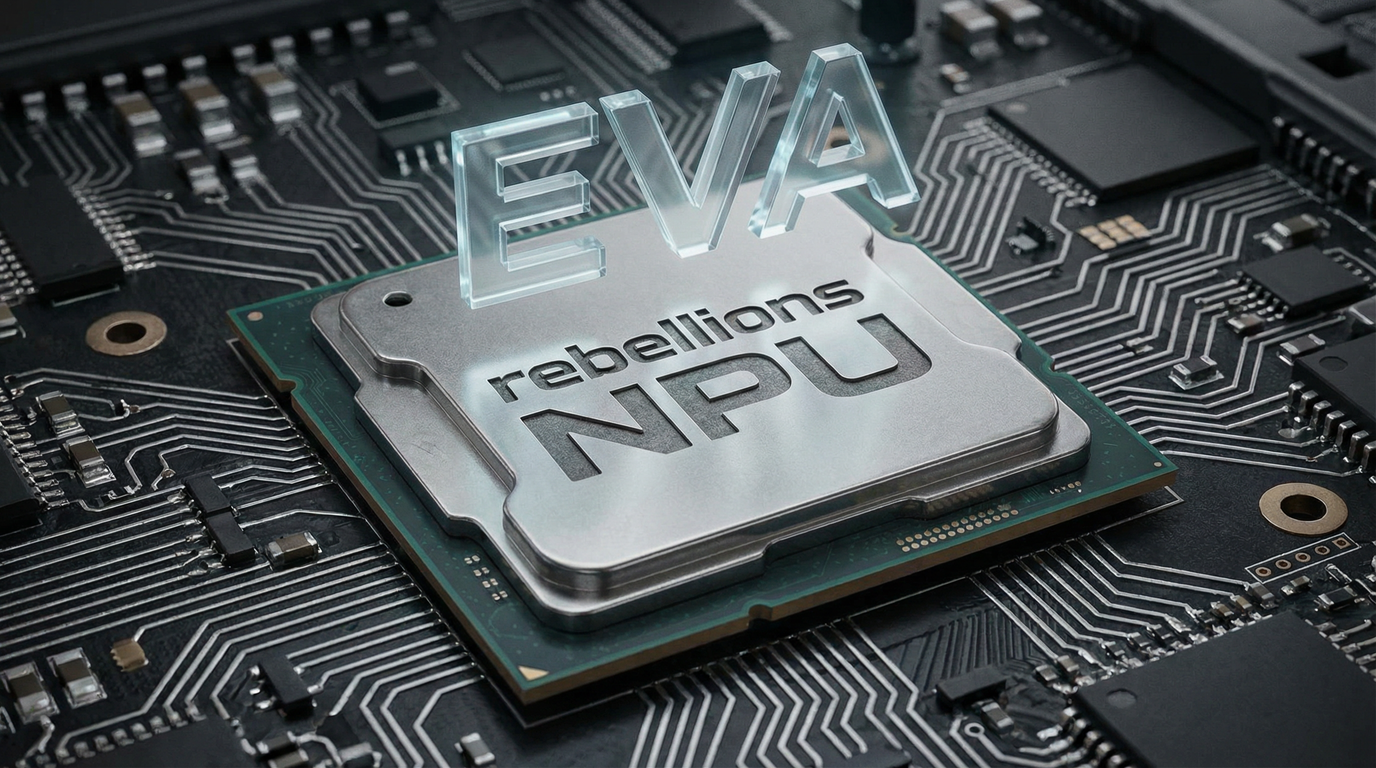
Beyond GPUs to NPUs: EVA Achieves End-to-End Service Validation on Rebellions ATOM™-Max

· 3 min read
Gyulim Gu
Gyulim Gu
Tech Leader

In a previous post, I shared our commitment to collaborating with Rebellions NPUs to enable 24/7 “always-on AI” for industrial environments.

https://mellerikat.com/en/blog/News/rebellions

Today, I’m pleased to announce that this commitment has resulted in a tangible technical milestone.

mellerikat’s EVA (Evolved Vision Agent) has successfully completed end-to-end service validation on Rebellions’ latest server-grade NPU, ATOM™-Max, integrating Vision models, LLMs, and VLMs into a unified production pipeline.


🛠️ Beyond Running a Model — Executing the Entire Service Pipeline

Running a single model on an NPU is fundamentally different from operating an entire production service reliably. Through this validation, EVA demonstrated uninterrupted execution of the full pipeline on ATOM™-Max:


Camera Input → Object Detection (Vision) → Scenario Interpretation (VLM) → Situation Assessment (LLM) → Alert & Control Dispatch

This result confirms that complex AI pipelines required in real-world operations — beyond isolated model benchmarks — can be fully orchestrated on NPUs.

Rebellions has also recognized this milestone as “the first real-world operation of a VLM-based AI service on a commercial NPU platform,” expressing strong expectations for future adoption.


📈 Next Phase: Quantifying TCO Innovation Through Stress Testing

Following successful end-to-end validation, EVA now enters the stress testing phase, simulating real factory environments.

We will analyze system stability, throughput, and power efficiency under extreme conditions where multiple cameras generate simultaneous input streams. The insights gained will be delivered to customers as actionable guidance, including:

  1. Optimal NPU Configuration Standards Cost-efficient hardware configuration guidelines based on camera count and required inference performance.

  2. Quantified TCO Reduction vs. GPUs Practical economic analysis including power consumption and operational costs — not just hardware pricing.

  3. Minimized Deployment Risk Standardized NPU configurations that shorten deployment time and accelerate large-scale adoption.


✨ Conclusion: Reducing GPU Dependence and Enabling Sustainable AI

The key takeaway from this validation is clear: Multimodal industrial AI has reached a level where real-world operations are possible using NPUs alone.

For organizations that have hesitated to adopt AI due to high GPU costs, the combination of EVA and Rebellions offers a practical and powerful alternative.

By breaking the high-cost barrier and enabling safer, higher-quality, and more productive operations at lower cost, EVA and Rebellions are working together to establish a new standard for sustainable industrial AI.

EVA Release v2.5.0

· 5 min read
Danbi Lee
Danbi Lee
Product Leader

EVA v2.5.0: Providing a clearer, more convenient, and more stable operating experience

EVA v2.5.0 focuses on eliminating recurring inconveniences found in real-world operations and helping users more easily understand and manage the system’s status. This version introduces new features such as automatic face blurring to reduce exposure risks, license‑based operational visibility, and improved usability during configuration. Operators can now experience a more predictable and stable EVA environment.


Automatic Face Blur: Clear in real time, safe when recorded or shared

Faces detected in images are now automatically blurred, minimizing unnecessary exposure even when images are shared via chat notifications or Webhook. Importantly, the real‑time streaming view during monitoring remains clear, just like before. This means you maintain the same ability to make fast, accurate decisions on site, while only the stored or externally shared images are blurred—reducing the burden during the record‑and‑share stages.


License Status at a Glance: Instantly check how long and how much you can use

After registering a license key, you can immediately check the remaining validity period, the number of cameras allowed, and whether the license is Trial or Standard. Advance notifications alert you before expiration, preventing accidental lapses, and EVA automatically stops operation once the license expires—avoiding unintended continued operation. Users can now easily verify the installed EVA’s license status without additional inquiries or internal checks, enabling more planned and convenient management.


Object Detection Sensitivity: Adjust with numbers for clearer control of results

The previous term “Detection Sensitivity” has been updated to the more precise “Object Detection Sensitivity”, and instead of “Low/High,” it is now adjusted using a numeric value between 0 and 1, allowing you to intuitively understand how each setting affects detection results and tune it quickly. Lower values detect more objects across a wider range, while higher values detect only more confident cases. This value is used as the threshold applied by the Vision Model (VM) when detecting objects, and the detected object information is then passed to the Vision‑Language Model (VLM), directly affecting final scenario evaluation. With clearer terminology and detailed guidance, you can select the appropriate value for your environment and achieve the detection performance you want. In addition, the next version will introduce an Agent feature that automatically sets object detection sensitivity based on detection results, adjusting sensitivity for each camera according to its configured scenario—providing even more convenient and stable detection performance for users.


Understand EVA Features More Easily Through Conversation

If you have questions about the various features and configuration options provided by EVA, you can check them directly through the in-app chat window. The existing guidance capability has been further enhanced, delivering clearer and more structured explanations—including how specific features work, the meaning of configuration values, and how to apply them. You can ask about any EVA-related feature or setting at any time.

There is no need to navigate through complex menus one by one. Simply enter your question in natural language to receive immediate guidance for faster and more efficient operations. Beyond basic feature descriptions, EVA provides an enhanced support experience that helps you quickly understand features and configure them with confidence.


Camera Setup: Faster and easier with step navigation + instant save

The inconvenience of having to navigate back and forth through multiple steps to modify or save values within the four‑step camera configuration screen has been resolved. You can now save at any step, eliminating the need to move to the final step and return again. By clicking the step number at the top of the configuration screen, you can jump directly to the desired step, and the save button in each step allows you to quickly apply only the necessary changes. When configuring multiple cameras consecutively, fewer clicks are required, making the overall setup process significantly faster and more convenient.


EVA continues to evolve based on real operational experiences from our customers.
The EVA development team reflects customer needs and on‑site feedback faster than anyone and continues to advance our technology to enhance accuracy and stability.
We will keep delivering innovations that transform expectations of a “properly built product” into clear value.
Your feedback is the most important driving force that makes EVA a stronger and more complete solution!


🚀Coming Soon: Preview of v2.6.0

  • Improved accuracy with multi‑image‑based detection
  • Lightweight Vision Model detection mode for optimized operations
  • Significantly enhanced UX for feedback submission and review

POSTECH Future Technology Center Leaps Forward as the Heart of ‘AI That Reads the World’ with EVA

· 3 min read
Daniel Cho
Daniel Cho
Mellerikat Leader


POSTECH (Pohang University of Science and Technology), the epicenter of engineering education and research in Korea, has officially confirmed the adoption of mellerikat’s EVA at its Future Technology Center. This collaboration goes far beyond enhancing campus security—it marks a major milestone in building a Data Living Lab, where all visual data generated on campus is transformed into valuable research assets.


🏛️ The Entire Campus as a Massive AI Laboratory

An Integrated Indoor & Outdoor Sensor Network

The POSTECH Future Technology Center will unify its existing campus-wide CCTV infrastructure through the EVA platform. By integrating sensors across the entire campus, the university establishes an infrastructure capable of real-time perception and reasoning—understanding and interpreting events in the physical world without human intervention.


🧪 A New Fuel for R&D

From “Discarded Footage” to “High-Value Data”

Until now, campus video data has been treated as ephemeral information, deleted after a certain retention period. EVA fundamentally changes this paradigm by turning video into long-term research assets.

  • A Catalyst for LLM & VLM Innovation EVA automatically converts unstructured video into structured data. This creates high-quality multimodal datasets for training next-generation Large Language Models (LLMs) and Vision-Language Models (VLMs), allowing researchers to focus on insight generation rather than data preprocessing.

  • Spatiotemporal Metadata Enrichment Instead of storing video alone, EVA enriches data with contextual information—such as congestion levels during exam periods (Time) or in library spaces (Space)—significantly increasing data density and analytical value.


🔒 Privacy-by-Design

Secure Research Assets, Completed at the Moment of Collection

As massive volumes of visual data are transformed into research assets, privacy protection stands as the highest priority of the POSTECH Living Lab.

  • Immediate Data Processing Raw video captured by cameras is analyzed instantly at the point of collection, before being stored on servers.

  • Automatic De-identification Any personally identifiable information detected during analysis is immediately de-identified. This ensures that researchers can securely access high-quality research datasets without privacy concerns.


🚀 A Research Ecosystem Where Students Become Creators

Student as a Creator

The POSTECH Living Lab redefines students not as passive service users, but as active producers of technology.

  • AI Training with Real-World Data Instead of textbook examples, students train AI models using real data generated from their own campus environment, implementing advanced decision-making logic firsthand.

  • Development of On-Site, Practical Services By deploying AI services that solve everyday problems—such as cafeteria queue prediction or classroom energy optimization—students directly experience the full potential of a Physical AI platform.


“Reading the real world as data, interpreting it with AI, and transforming reality for the better.”

The virtuous cycle that POSTECH and EVA are building together is a compelling example of how a university campus can become a hub for future technologies. As everyday life at POSTECH turns into data—and that data, in turn, shapes the technologies of tomorrow—we invite you to follow this journey into the future.

Rebellions x EVA – Full-Stack Integration from Hardware to Service

· 3 min read
Daniel Cho
Daniel Cho
Mellerikat Leader

👉 Industrial AI Powered by EVA: Finding the Answer in 'Economic Efficiency' Beyond Performance

In industrial environments, AI is no longer a function to be called only when needed.

It must be an 'Always-on' system that performs continuous inference 24/7, processing the constant stream of data generated by cameras and sensors.

However, operating massive AI models like Vision-Language Models (VLMs) on expensive GPU-based infrastructure around the clock imposes a significant cost burden on customers.

To break down this cost barrier and accelerate the adoption of industrial AI, mellerikat EVA has joined forces with Rebellions.


👍 1. NPU: Surpassing GPU Limits in Price Competitiveness and Efficiency

Innovation in infrastructure costs (TCO) is essential for the widespread adoption of industrial VLM services. Rebellions' NPU meets these demands with superior efficiency compared to general-purpose GPUs.

  • Unrivaled Inference Performance: Rebellions’ ATOM NPU has proven up to 3x faster processing speeds in the vision domain compared to equivalent GPUs in global benchmarks like MLPerf.
  • Superior Performance-per-Watt and Cost Savings: In a 24/7 operational environment, the NPU reduces power consumption by more than 50% compared to GPUs while maintaining high throughput (TPS). This directly leads to a reduction in the customer's operational cost burden.
  • VLM Optimization: Latest large-scale model optimization technologies, such as FlashAttention and PagedAttention, are implemented at the hardware level, allowing heavy VLMs to run lightly and quickly.

EVA running on Rebellions NPU means customers can own cutting-edge Physical AI at the most economical cost.


👍 2. VLM Optimization: Extensive Model Testing and Technical Validation

mellerikat is currently testing various state-of-the-art VLM models within the EVA platform in the Rebellions NPU environment.

We are going beyond simply replacing hardware; we are advancing our software stack to ensure that complex industrial scenarios are processed at optimal speeds on the NPU.

Through this process, we are finalizing the 'NPU-based VLM Service, EVA' at a level ready for immediate field deployment.


👍 3. From LG Electronics Deployment to Global Supply: A Strategic Roadmap

The collaboration between mellerikat and Rebellions aims for substantial business expansion beyond a simple technical partnership.

  1. Advanced VLM Optimization: We are in the validation stage to ensure optimal power efficiency and processing speed by testing various latest VLM models on Rebellions NPU.
  2. Deployment at LG Electronics Production Sites: Based on validated VLM models and NPU optimization technology, we are prioritizing the introduction of NPU-based AI into major production processes and safety monitoring systems within LG Electronics.
  3. External Supply of EVA+NPU Package: Leveraging successful references at LG Electronics, we plan to provide the EVA platform in an integrated solution package with Rebellions NPU for future external clients.

By adopting EVA, customers can enjoy a full-stack service that combines optimized hardware and a robust platform at a reasonable price, without the hassle of selecting complex hardware themselves.


👏 Conclusion: The Standard for Sustainable Industrial AI

The combination of EVA and Rebellions NPU is a strategic choice to transform AI from a simple technology adoption into a service structure that operates continuously at a realistic cost.

Through this powerful collaboration spanning from hardware to the service platform, mellerikat will become a partner that accelerates AI transformation in industrial fields and fundamentally resolves the infrastructure burden for our customers.

EVA Release v2.4.0

· 5 min read
Jeongjun Park
Jeongjun Park
Product Developer

EVA v2.4.0: Taking Detection Monitoring Efficiency to the Next Level

The EVA v2.4.0 release reflects the requirements raised in real operational environments, significantly improving monitoring efficiency and user experience. This update focuses on Alarm Priority Sorting, Device Favorites, Expanded Language Support, and Enlarged View of Detection Result Images, delivering convenience that can be felt immediately in monitoring operations.


Alarm Priority Sorting – Never Miss Real-Time Responses Among Numerous Devices

In a monitoring environment with numerous connected devices, the most important thing is immediate identification and response to alarm-triggered points. When a detection alarm occurs, EVA automatically moves the corresponding device to the top of the list, allowing you to quickly and easily identify the alarm-triggered device even in a complex list. This feature is designed to display the latest events at the top in order, even when multiple alarms occur simultaneously, so you can see the most critical screen at a glance without scrolling or searching. As a result, monitoring efficiency and response speed are greatly improved, and when combined with the Favorites feature, you can prioritize monitoring of key devices where alarms occur.


Device Favorites – Focused Monitoring of Key Points by Operator

The more cameras you monitor, the more important it is to quickly check critical points. With this update, EVA allows users to register key devices they manage as favorites and filter them for instant access. This feature is especially useful in environments where device responsibility varies by operator. Each operator can manage their critical devices as a favorites group to ensure no important point is missed and maintain focused monitoring. Grouping priority monitoring cameras such as entrances, high-value equipment storage areas, and safety management zones will further enhance monitoring efficiency.


Expanded Language Support – EVA Accessible to Everyone

EVA now supports both Korean and English. You can select your preferred language in the settings menu, and language changes can only be made by accounts with administrator or manager privileges. This update makes EVA easy to use even for users unfamiliar with AI by providing all screens and functions in Korean and simplifying technical terms. In addition, detection analysis results can be provided in the desired language to minimize communication errors, enabling quick adaptation for new users and consistent information sharing across teams.


Enlarged View of Detection Result Images – Faster and More Accurate Situational Assessment

In real-world monitoring environments, the quality of response depends heavily on how quickly and accurately detection result images can be reviewed after an alert is triggered. With EVA v2.4.0, the image enlargement experience—previously available only through external notifications such as Microsoft Teams or Slack—has been extended directly into EVA’s built-in chat interface. Detection result images delivered via the chat window can now be opened in a separate, enlarged view, allowing users to inspect high‑resolution images and freely zoom in with a single click. This eliminates the need to rely on small, embedded thumbnails within the chat area and enables immediate, clearer analysis of detection results on a larger screen. As a result, operators can closely examine critical detection elements—such as people, vehicles, and object locations—making it easier to distinguish false positives and significantly reducing the time required to decide on follow-up actions.


Support for Duplicate Camera RTSP Registration – Run Multiple Scenarios from a Single Camera

In many real-world environments, a single camera feed often needs to support multiple detection scenarios simultaneously. For example, a parking lot camera may need to detect illegal parking, pedestrian safety risks, vehicle wrong-way driving, loitering, or intrusion — each as separate monitoring scenarios. To improve this flexibility, EVA now supports duplicate RTSP registration. You can register the same RTSP address to multiple virtual cameras, and configure different detection scenarios independently for each one. With this enhancement, you can monitor various situations in parallel using a single live video stream, while greatly improving scenario configuration flexibility without adding hardware or modifying the network setup.


Other Key Improvements

This release also includes the following enhancements:

  • Session logout time can be configured to match the installation environment.
  • Improved repeated login requests when viewing detection images on mobile.
  • Enhanced UI for device registration and expanded detection scenario area.
  • Added device name editing feature.
  • Detection alarm images can now be viewed in Slack.

EVA Listens to Your Feedback and Improves Faster

This release was implemented based on customer feedback. The EVA team is committed to quickly improving inconveniences through short release cycles and continuously enhancing accuracy and responsiveness based on data collected from PoC and commercial environments. UI/UX improvements prioritize on-site usability, and we will continue to deliver features that reflect customer needs quickly. Your feedback is the driving force that makes EVA a better product.

Experience the Updated EVA v2.4.0 Now

If you have any feature requests or improvement suggestions, please feel free to share them with us.

New Standards for Industrial AI: Set by EXAONE and EVA

· 2 min read
Daniel Cho
Daniel Cho
Mellerikat Leader

The era of "Actionable AI"—AI that moves beyond theoretical potential to solve real-world industrial challenges—has arrived. We are officially kicking off a strategic collaboration to fundamentally transform industrial sites by combining the deep Foundation AI research capabilities of our AI researchers with mellerikat’s innovative Physical AI platform, EVA.

While previous AI focused on providing general answers, our core mission is "Vertical AI."

  • Researcher-led Vertical Foundation Models: Our AI researchers develop Foundation models equipped with specialized knowledge and reasoning capabilities optimized for specific industrial sectors.
  • Commercializing Industry-Specific Services with EVA: These Vertical models are immediately integrated into mellerikat’s EVA. Through EVA’s natural language-based scenario settings and real-time field control technology, they are transformed into AI applications that work instantly on-site without the need for complex coding.

A Paradigm Shift in Industrial Safety for Construction and Manufacturing

Our primary focus is "Industrial Safety," a domain where the highest levels of precision and reliability are mandatory.

  • Safety-Specific Models: We are building dedicated models that possess a deep understanding of the unique risk factors found in construction and manufacturing environments.
  • Intelligent Monitoring Solutions: By combining EVA’s vision capabilities—which "understand" rather than just "see"—we plan to supply next-generation safety solutions to major manufacturing and construction firms. These solutions go beyond simple intrusion detection to proactively predict and respond to risky worker behavior.

Leap forward as a Key Player in the EXAONE Ecosystem

This collaboration aligns with the LG EXAONE Alliance, South Korea’s premier hyperscale AI ecosystem.

Core Agentic AI Platform: Within the EXAONE ecosystem, which currently features 23 leading partners, EVA serves as the core Agentic AI platform connecting the physical world with AI. Global GTM (Go-To-Market): Leveraging the powerful synergy of the EXAONE ecosystem, we will accelerate our global market entry and secure strong market competitiveness alongside partners from various domains.

Together with our AI researchers, we are standing at the center of innovation—a journey where technology crosses the threshold of the lab to prove its value in the most demanding industrial fields of our lives.

EVA Release v2.3.0

· 4 min read
Danbi Lee
Danbi Lee
Product Leader

EVA v2.3.0: Three Innovations to Make On-Site Operations Smarter and More Precise

The EVA v2.3.0 release is not just about adding new features—it’s an update designed to eliminate inefficiencies in large-scale camera operations, improve detection accuracy, and dramatically enhance the user experience. EVA is now smarter, more intuitive, and more powerful than ever.


Say Goodbye to Repetitive Tasks! Common & Custom Detection Scenarios

One of the biggest challenges in managing large-scale camera operations is the inefficiency of registering the same detection scenario across dozens or even hundreds of cameras. For example, if you manage 100 cameras, you previously had to register the same scenario 100 times—a time-consuming and labor-intensive process.

EVA v2.3.0 solves this problem by introducing the Common Scenario feature. Now, administrators only need to define a Common Scenario once in the EVA settings menu. Connected cameras can automatically apply this scenario, and if needed, you can add Custom Scenarios for individual cameras. Furthermore, EVA allows both Common and Custom Scenarios to be applied simultaneously, greatly improving operational flexibility.

What benefits does this bring to EVA users?

  • Significantly reduces registration time and repetitive tasks in large-scale operations.
  • Updates to Common Scenarios are automatically reflected across all cameras, maximizing management efficiency.
  • Administrators can focus on strategic operations and safety enhancements instead of repetitive work.