EVA Release v2.5

EVA v2.5: Providing a clearer, more convenient, and more stable operating experience
EVA v2.5 focuses on eliminating recurring inconveniences found in real-world operations and helping users more easily understand and manage the system’s status. This version introduces new features such as automatic face blurring to reduce exposure risks, license‑based operational visibility, and improved usability during configuration. Operators can now experience a more predictable and stable EVA environment.
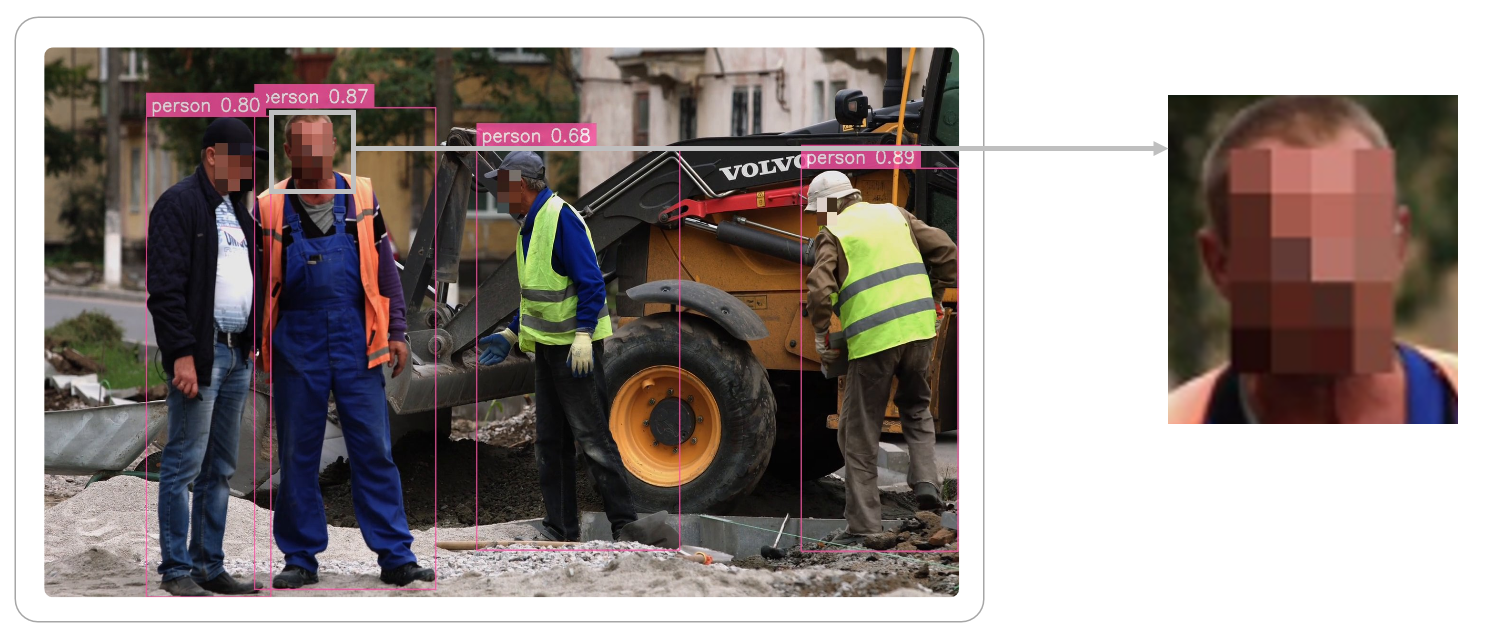
Automatic Face Blur: Clear in real time, safe when recorded or shared
Faces detected in images are now automatically blurred, minimizing unnecessary exposure even when images are shared via chat notifications or Webhook. Importantly, the real‑time streaming view during monitoring remains clear, just like before. This means you maintain the same ability to make fast, accurate decisions on site, while only the stored or externally shared images are blurred—reducing the burden during the record‑and‑share stages.
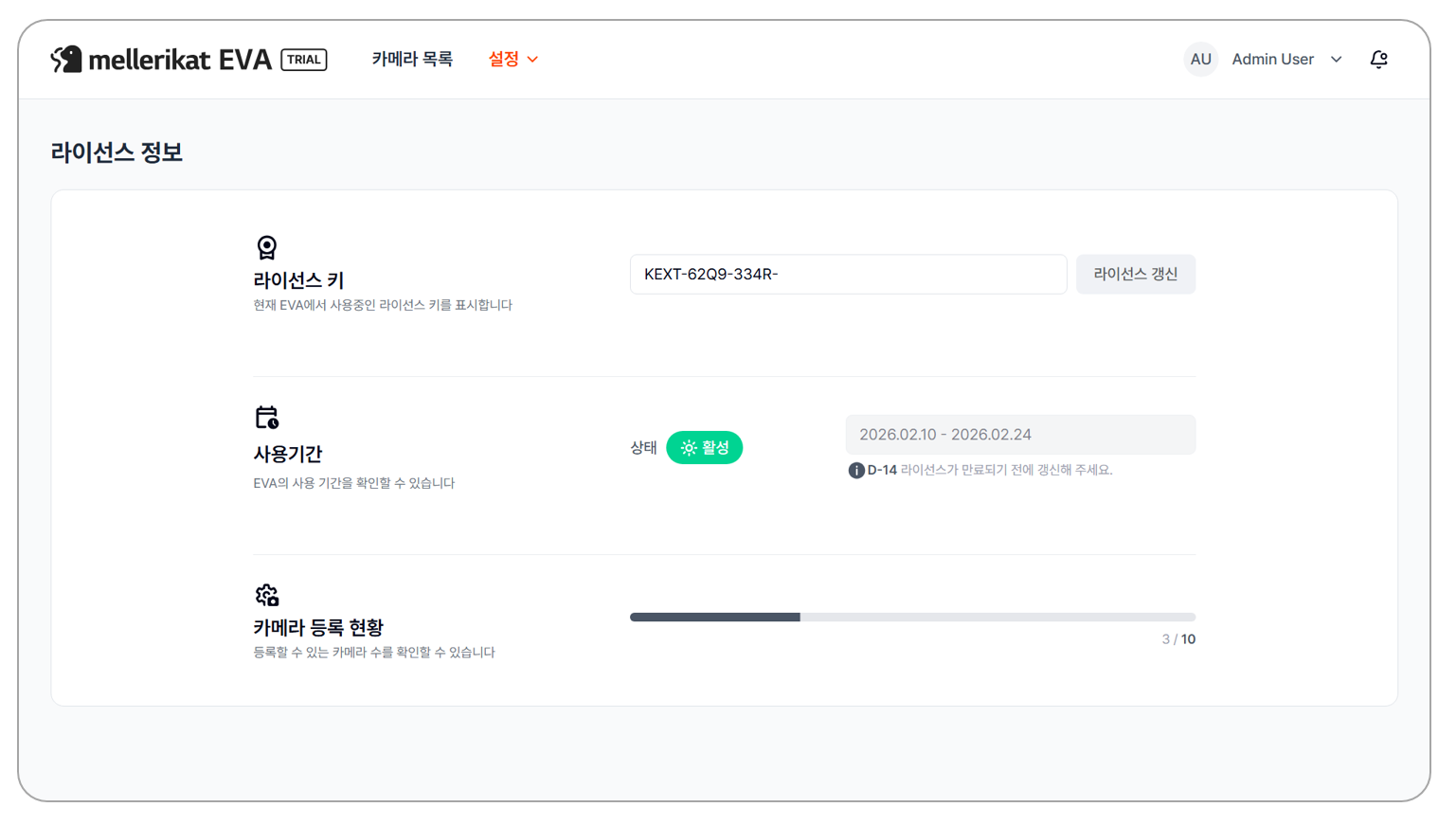
License Status at a Glance: Instantly check how long and how much you can use
After registering a license key, you can immediately check the remaining validity period, the number of cameras allowed, and whether the license is Trial or Standard. Advance notifications alert you before expiration, preventing accidental lapses, and EVA automatically stops operation once the license expires—avoiding unintended continued operation. Users can now easily verify the installed EVA’s license status without additional inquiries or internal checks, enabling more planned and convenient management.
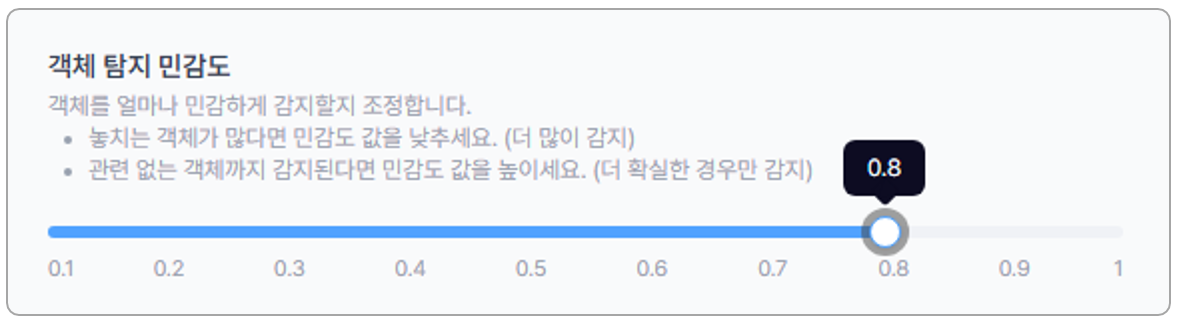
Object Detection Sensitivity: Adjust with numbers for clearer control of results
The previous term “Detection Sensitivity” has been updated to the more precise “Object Detection Sensitivity”, and instead of “Low/High,” it is now adjusted using a numeric value between 0 and 1, allowing you to intuitively understand how each setting affects detection results and tune it quickly. Lower values detect more objects across a wider range, while higher values detect only more confident cases. This value is used as the threshold applied by the Vision Model (VM) when detecting objects, and the detected object information is then passed to the Vision‑Language Model (VLM), directly affecting final scenario evaluation. With clearer terminology and detailed guidance, you can select the appropriate value for your environment and achieve the detection performance you want. In addition, the next version will introduce an Agent feature that automatically sets object detection sensitivity based on detection results, adjusting sensitivity for each camera according to its configured scenario—providing even more convenient and stable detection performance for users.
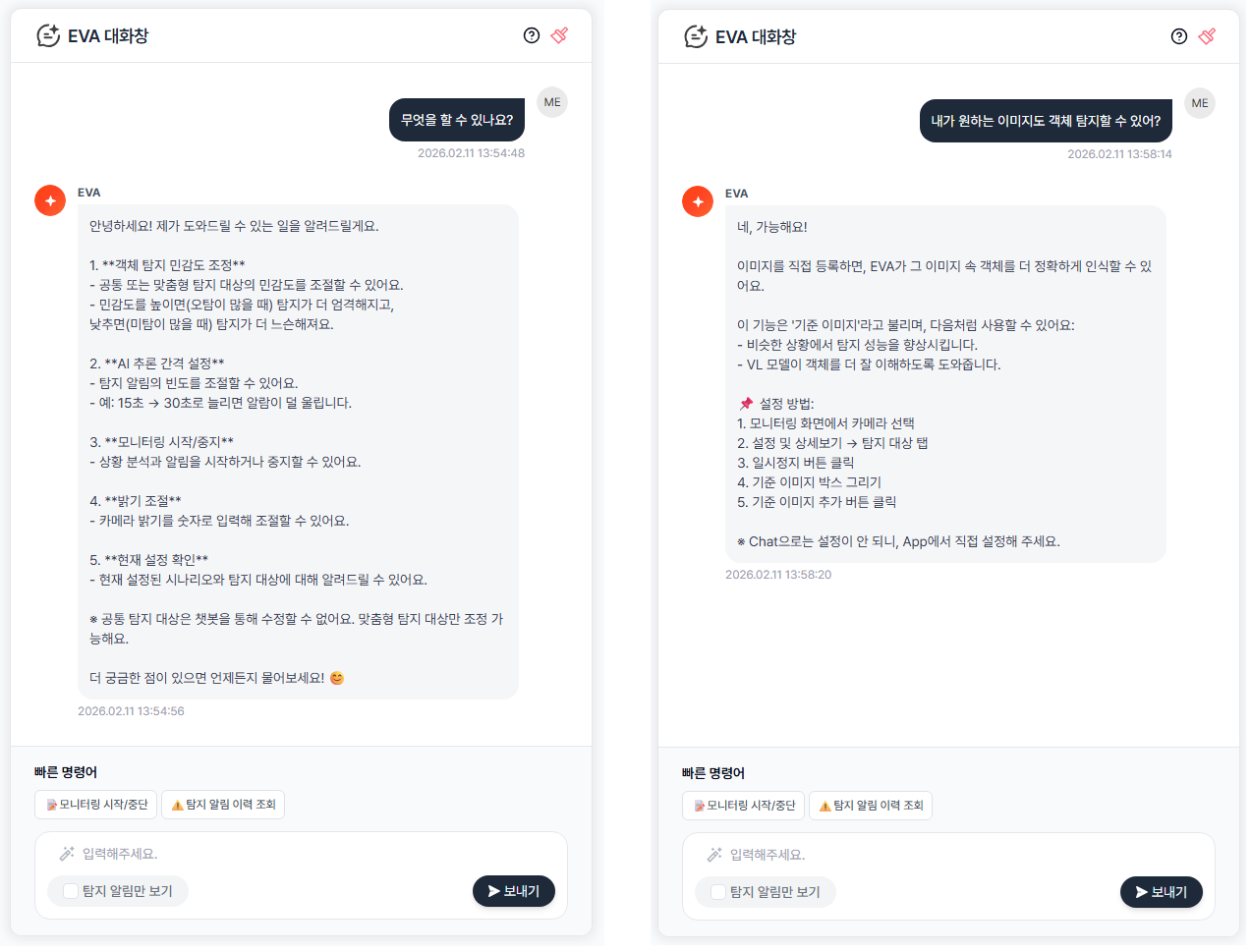
Understand EVA Features More Easily Through Conversation
If you have questions about the various features and configuration options provided by EVA, you can check them directly through the in-app chat window. The existing guidance capability has been further enhanced, delivering clearer and more structured explanations—including how specific features work, the meaning of configuration values, and how to apply them. You can ask about any EVA-related feature or setting at any time.
There is no need to navigate through complex menus one by one. Simply enter your question in natural language to receive immediate guidance for faster and more efficient operations. Beyond basic feature descriptions, EVA provides an enhanced support experience that helps you quickly understand features and configure them with confidence.
Camera Setup: Faster and easier with step navigation + instant save
The inconvenience of having to navigate back and forth through multiple steps to modify or save values within the four‑step camera configuration screen has been resolved. You can now save at any step, eliminating the need to move to the final step and return again. By clicking the step number at the top of the configuration screen, you can jump directly to the desired step, and the save button in each step allows you to quickly apply only the necessary changes. When configuring multiple cameras consecutively, fewer clicks are required, making the overall setup process significantly faster and more convenient.
EVA continues to evolve based on real operational experiences from our customers.
The EVA development team reflects customer needs and on‑site feedback faster than anyone and continues to advance our technology to enhance accuracy and stability.
We will keep delivering innovations that transform expectations of a “properly built product” into clear value.
Your feedback is the most important driving force that makes EVA a stronger and more complete solution!
🚀Coming Soon: Preview of v2.6.0
- Improved accuracy with multi‑image‑based detection
- Lightweight Vision Model detection mode for optimized operations
- Significantly enhanced UX for feedback submission and review